


A Hacker Accessed My Sage 50 Data — What Should I Do Next?
Lost or forgotten the Sage 50 Technical Support number? Please don’t Google it.
Scammers frequently create fake—sometimes very official‑looking—Sage emails, websites, and social media accounts. These scams often include fraudulent phone numbers. Once contacted, scammers may remotely access your computer and pressure you into purchasing unnecessary products before claiming to “help” you.

Sage’s official Technical Support number is: 866‑747‑3888
🚨Always be cautious of anyone offering free remote assistance for Sage 50.🚨
If someone offers to remote into your system—even on the Sage Community Board—and you cannot clearly verify that they are a Certified Consultant or a Sage employee, do not trust them. Never accept unsolicited “free” help. Once they gain access to your computer, they can steal sensitive and financial information.
Certified Consultants have their own websites and can be verified directly through Sage. This verification is clearly listed in their profile, along with the certification icon displayed on the right. We are licensed and Insured. We have been remoting in and helping people for many years. Yes, we may charge you for our services, but it will be a loss less than what dealing with a scammer will COST you in the long run.
If you are in a Sage Business Care plan, Sage will support you for Free for most services. Their phone number is 866-747-3888.
If your Sage 50 data has been compromised, take these critical steps immediately!
Start by staying calm. It might feel overwhelming, but you now have everything you need to address this situation effectively.
Immediate Actions (First Hour)
- Disconnect from the Internet
Unplug your Ethernet cable or turn off Wi-Fi immediately. This stops the scammer from continuing to control your computer or steal more data. - End the Remote Session
If you know how, uninstall the remote access software (e.g., TeamViewer, AnyDesk). If unsure, restart your computer—this usually terminates the session. - Do NOT log back into sensitive accounts on that device yet
Use a different, trusted device (like your phone) to access your email or banking account.
If you have lost your Sage Data, call Sage Support to help you. 866-747-3888
Secure Your Accounts
- Change All Passwords from a Safe Device
Update passwords for email, banking, social media, and any accounts that share similar credentials. Use strong, unique passwords and consider a password manager. - Enable Multi-Factor Authentication (MFA)
Turn on MFA for critical accounts (email, banking, cloud storage). Prefer authenticator apps or hardware keys over SMS. - Notify Your Bank and Credit Card Issuers
Inform them you were scammed and request fraud alerts or account monitoring. Ask to freeze accounts if necessary.
Clean Your Computer
- Run a Full Antivirus and Anti-Malware Scan
Check if the scammer installed spyware, keyloggers, or other malicious software. - Check for Removed or Disabled Security Software
Make sure your antivirus is still active and hasn’t been uninstalled. - Consider a System Restore or Reinstall
If you suspect deep compromise, restore your system to a previous backup or reinstall Windows/macOS. Back up files first and scan them before restoring.
Report and Monitor Suspicious Activity
- Contact Sage directly at 866-996-7243 or reportabuse@sage.com if you think you’ve been targeted.
- In the United States, report to the Federal Trade Commission (FTC).
- In Canada, report to your local law enforcement, RCMP or the Canadian Anti-Fraud Centre.
- Search Engines: Report suspicious sites directly to search engines such as Google or Bing via their reporting tools.
Sources: scamwatch.com
💡 If you’re able to recover your data but find it damaged, Best Business Strategies offers data repair services. With a reliable backup, we can rebuild your company’s data file.
🐘Friendly Reminder to Set Up Your Automatic Backup.
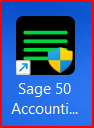
There is a special Icon that is available on your desktop. It looks like this➡️
If you need more comprehensive protection for all the data on your computer, a service like Enveloc – Remote Backup can help keep your business data secure.
There’s no such thing as too many backups. I’ve witnessed data loss caused by fires, floods, storms, ransomware, and cyberattacks. Take action before it’s too late—protect your data.
If you are a customer of Best Business Strategies, always feel free to contact us. We are your partner advocate, always here for you.