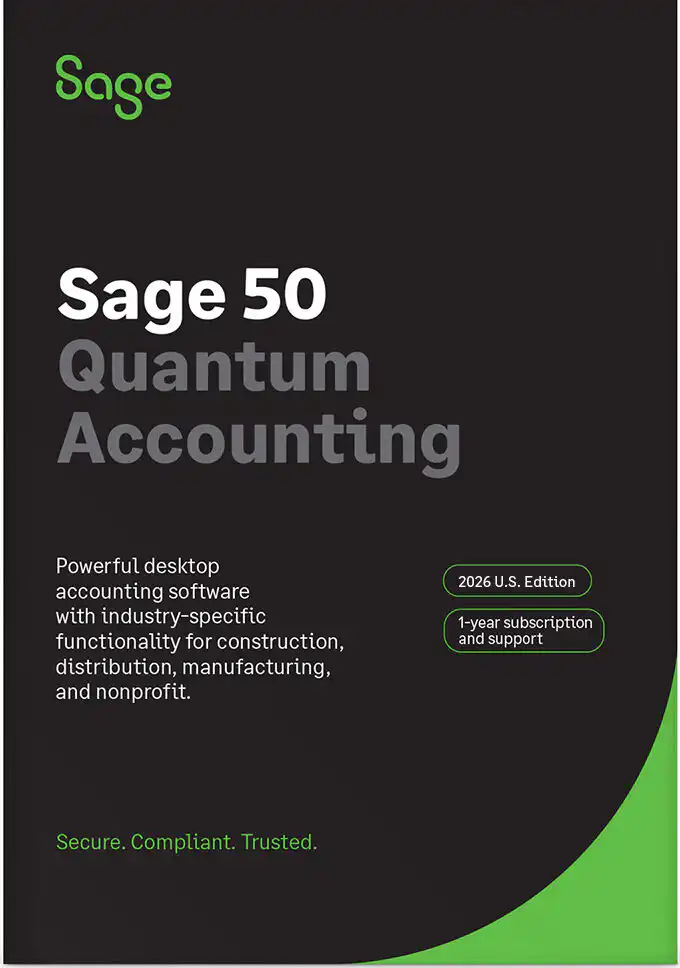

Sage 50 Quantum 2026 Accounting Overview

Sage 50 Quantum

Sage 50 Quantum

Comprehensive Accounting & Business Management

Quantum goes beyond basic accounting with the tools you need to manage every aspect of your business.

  • GAAP-Compliant Accounting-Built in controls and financial accuracy you can rely on.
  • Audit Trails-Detailed transaction for greater transparency.
  • Cash Flow Management-Track cash flows, budgets, and forecast with ease.
  • Multi-Level Budgeting-Create budgets by department, class, or location.
  • Serialized Inventory Tracking-Track serial numbers, lots, and expirations with confidence.
  • Vendor & Customer Management-Manage relationships, payments, and histories in one place.
  • Quantity Price Breaks-Set pricing tiers and discounts to increase profitability.

Key Features Exclusive to Sage 50 Quantum

Secure Multi-User Access

Supports up to 40 users with role-based security controls.

Advanced Inventory & Job Costing

Expands on basic job costing with multi-level phase/cost tracking and offers deeper serial-number tracking and extended pricing/order management rules.

Workflow Management

Features specialized status tracking for purchase orders and custom approvals, enabling teams to track work across multiple stages.

Order Reordering & Batching

Adds automated reorder suggestions and expanded batch transaction processing features.

Industry-Specific Functionality:

Manufacturing

  • Enhanced assembly capabilities
  • Buy/sell in different units
  • Manufacturing specific operational reports

Distribution

  • Enhanced kitting & assembly capabilities
  • Inventory trend analysis
  • Order/sell using vendor part numbers
  • Quantity price breaks
  • Distribution-specific operational report

Construction

  • Change order processing
  • Subcontractor insurance tracking
  • Labor burden assessment
  • Progressive billing
  • 10 operational reports
  • Track retainage from both sides
  • Manage current and future job costs
  • View information for the entire job, the job/phase, or job/phase/cost code.

Nonprofit

  • Budgeting and planning
  • Real-time reporting
  • GAAP Compliance

Features included in your Sage 50 Accounting Subscription:

  • Desktop software with cloud connect capabilities i
  • Fraud Protection w/Sage Security Shield i 
  • Accounts Payable, Accounts Receivable, Inventory, General Ledger and Jobs Modules.
  • Free Sage University Sage 50 learning package. The package consists of forty-seven videos. You will learn how to establish the core accounting modules for your company, general ledger and banking, accounts payable, and accounts receivable.
  • Sage 50 Business Care

Sage 50 Business Care includes:

  • Annual auto renewal (REQUIRED)  i
  • Updates and enhancements
  • Unlimited access to North America-based phone support
  • Unlimited online chat support
  • Free Virtual Live Sage 50 Beg101 Class
  • Excellent reviews with Trust Pilot, Google, and BBB.
  • AFTER SALES SUPPORT
  • We are your Sage Partner Advocate
  • We answer your small Sage 50 questions
  • Renewal Reminders
  • Stay up to date with monthly newsletter

Frequently Asked Questions

Yes, international orders are welcome. Please note we only offer Sage 50 U.S. editions.

Sage 50 is delivered to you by download via email.

Software orders placed Monday through Friday before 3:00 pm Eastern Time Zone (ET) will be available for download within 24 – 48 hours. Orders placed on weekends and holidays will be processed the next business day.

Sage 50 Desktop is is designed for Windows OS (Windows 10/11). However, Sage 50 Cloud Hosted can run on a Mac.

The core difference between Sage 50 Premium and Sage 50 Quantum comes down to user capacity, speed, advanced tracking, and industry-specific tools.

Check out our Sage 50 Product Comparison Chart for details.

Yes, you can add more users at any time.

When you purchase additional user licenses:

  • No Reinstallation Required: Sage simply updates your product license key, allowing you to unlock the additional user capacity instantly without reinstalling the software or disrupting your data.
  • Cost Difference Only: You generally pay the proration or price difference between your current user tier and the higher user tier for the remainder of your subscription period.

System Requirements

Sage 50 Accounting 2026 US Edition System Requirements

11-10-25

Recommended System Configuration

  • Windows 11 (24H2 and higher)
  • 2.4 GHz processor (8th Generation and higher Intel® Core™ i3 and higher or AMD Ryzen™ 3 and higher) for single user and multiple users.
  • 8 GB of RAM for single user and 16 GB and higher for multiple users.
  • Hard-wired high speed internet connection on any machine using Remote Data Access or accessing connected features

Minimum System Requirements

  • 2.0 GHz processor for single user and multiple users
  • 8 GB of RAM for single user and multiple users
  • Windows 10 (version 21H1 and higher) or Windows 11 (23H2 or higher) with the latest updates from Microsoft installed
  • 1 GB of disk space for installation
  • Microsoft Edge is required with Sage Payroll Solutions, Sage Payments Solutions and other Connected Services integration; Google Chrome™ browser and Microsoft Edge (version 2023 and higher) web browsers are supported when accessing available Connected Services outside of the product
  • Microsoft®.NET Framework 4.8; requires an additional 280 MB to 850 MB
  • At least high-color (16-bit) SVGA video; Minimum Resolution: 1280×800, Preferred Resolution: 1440X900 or higher; small fonts/DPI settings required
  • All online features/services require Internet access (For best performance download speeds of at least 25mbps and upload speeds of at least 10mbps)
  • Maximum of 5GB file size for Sage Remote Data Access companies
  • Computer name of 15 characters or less required

Integration/Compatibility Requirements

  • Excel®, Outlook®, and Word integration requires desktop installations of Microsoft Excel, Outlook, and Word (64-bit versions) 2016, 2019, and 2021
  • Microsoft 365 Integration – Requires Microsoft 365 Business Basic, Standard, Premium or Enterprise Editions
  • Printers supported by Windows 10 or Windows 11
  • Adobe® Reader Acrobat

Multiuser

  • Multiuser environments are supported in Sage 50 Premium Accounting and higher
  • Multiuser mode is optimized for: Windows Server 2022, Windows Server 2016 client-server networks; Windows 10 peer-to-peer networks with Extended Support.
  • A maximum of five licensed named users is allowed for Sage 50 Premium Accounting and up to 40 named users for Sage 50 Quantum Accounting; a named user account is granted a license when selected in the user maintenance screen
  • 2 GB of disk space for installation of components on server

Terminal Services

  • Windows Server 2019 and higher along with Remote Desktop Connection or Remote Desktop Web Connection client is required to run in a Windows Terminal Services environment; no more than 5 named users for Sage 50 Premium Accounting or up to 40 named users for Sage 50 Quantum Accounting
  • Terminal Server requires additional memory when more than one user is running under Windows Terminal Services

Other

  • Customer registration and acceptance of License Agreement for Sage 50 Accounting software products

Note: Beginning with Sage 50 US release 2023.0 Windows 7 is no longer a compatible operating system. Beginning with Sage 50 US release 2024.0 Windows 8.1, Windows Server 2012 Standard, and Windows Server 2012 R2 are no longer compatible operating systems. Beginning with Sage 50 US release 2026.0 Windows Server 2016 R2 are no longer compatible operating systems.