


Lost or forgotten the Sage 50 Technical Support number? Please don’t Google it.
Scammers often create fake (but sometimes official-looking) Sage emails, websites, and social media accounts, frequently using fraudulent phone numbers. They will access your computer remotely and pressure you into buying unnecessary products before “offering assistance”.
If you are our customer, please give us a call, and we’ll happily share Sage’s Technical Support number with you: 866-747-3888.
How do I know I’m speaking with an official Sage 50 Representative?
When you contact Sage 50 Support, you will be greeted by an automated system that says, “Welcome to Sage 50 US Edition.” Following this, you will be presented with a menu to select the reason for your call. To protect your account, the customer service representative will thoroughly verify that you are authorized to access the account. If your name is not listed on the account, Sage Support will not be able to assist you. This process is in place to ensure the security of your account.
How do I find my 400 number?
Within Sage 50: Open Sage 50 and log in
Go to Help (on very top of screen) > scroll down to About Sage 50 Accounting.
The Account Number or Customer ID will be listed under the License Information.
What if the primary person listed on the account no longer works for my company or I need to add or remove someone on my account?
You need to fill out the form below.
 Sage account address change/contact change form
Free unlimited Sage Support is included with all active business care plans. Sage will never ask you for payment for assistance that falls within their Scope of Support. If you need assistance that falls outside their Scope of Support, they will refer you directly to Sage’s Expert Services or Professional Services teams, or to Best Business Strategies.
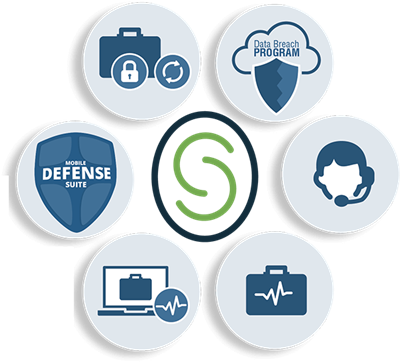
Did you know your Sage 50 Subscription includes FREE Sage Security Shield?
Security Shield is an industry-first security suite that empowers small and medium-sized businesses to quickly take control of their identity protection. Features include:
- Business credit monitoring, including credit score and credit report.
- Business dark web monitoring.
- Internal fraud hotline.
- Fully managed business restoration.
If you believe you were remote access scammed, here are some actions .
Scammers are getting really clever these days, and it’s easy to fall for their tricks. If something does go wrong, it’s essential not to panic.
Immediate Actions (First Hour)
- Disconnect from the Internet
Unplug your Ethernet cable or turn off Wi-Fi immediately. This stops the scammer from continuing to control your computer or steal more data. - End the Remote Session
If you know how, uninstall the remote access software (e.g., TeamViewer, AnyDesk). If unsure, restart your computer—this usually terminates the session. - Do NOT log back into sensitive accounts on that device yet
Use a different, trusted device (like your phone) to access your email or banking account.
Secure Your Accounts
- Change All Passwords from a Safe Device
Update passwords for email, banking, social media, and any accounts that share similar credentials. Use strong, unique passwords and consider a password manager. - Enable Multi-Factor Authentication (MFA)
Turn on MFA for critical accounts (email, banking, cloud storage). Prefer authenticator apps or hardware keys over SMS. - Notify Your Bank and Credit Card Issuers
Inform them you were scammed and request fraud alerts or account monitoring. Ask to freeze accounts if necessary.
Clean Your Computer
- Run a Full Antivirus and Anti-Malware Scan
Check if the scammer installed spyware, keyloggers, or other malicious software. - Check for Removed or Disabled Security Software
Make sure your antivirus is still active and hasn’t been uninstalled. - Consider a System Restore or Reinstall
If you suspect deep compromise, restore your system to a previous backup or reinstall Windows/macOS. Back up files first and scan them before restoring.
Report and Monitor
- Contact Sage directly at 866-996-7243 or reportabuse@sage.com if you think you’ve been targeted.(Please report the URL, website, and any other details you have available.)
- In the United States, report to the Federal Trade Commission (FTC).
- Search Engines: Report suspicious sites directly to search engines like Google or Bing through their reporting tools.
Source: scamwatch.com